☏ Elevenlabs
Connect your ElevenLabs Conversational AI agents to KrosAI phone numbers for emerging market coverage.
Overview
ElevenLabs offers state-of-the-art voice synthesis and conversational AI. With KrosAI, you can route calls from African and Middle Eastern phone numbers to ElevenLabs agents.
Prerequisites
- KrosAI account with verified KYC
- ElevenLabs account with Conversational AI enabled
- An ElevenLabs agent created
- At least one KrosAI phone number
Setup Steps
'
1
Import Your KrosAI Phone Number to ElevenLabs
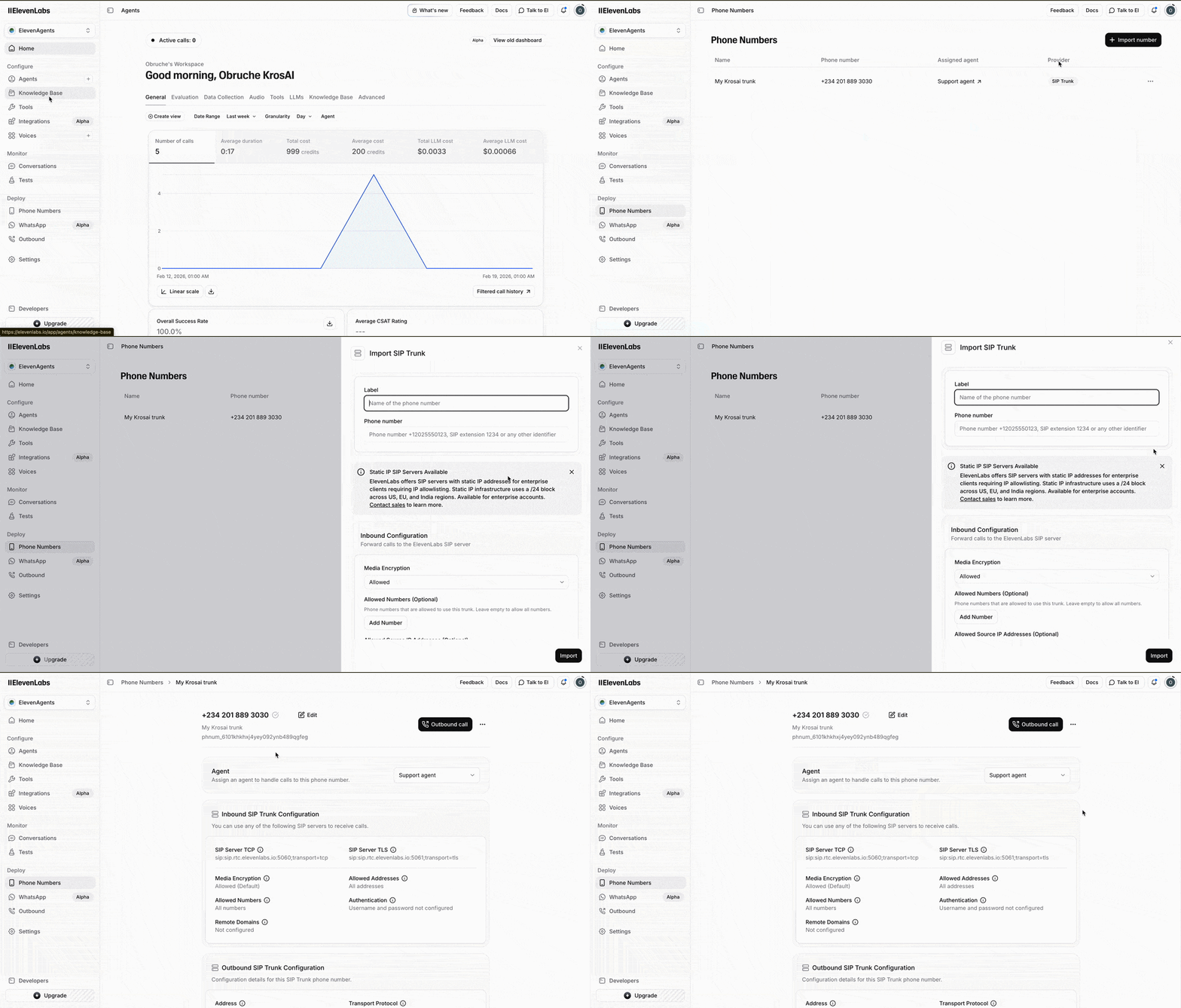
- Log into your ElevenLabs Dashboard
- Switch to ElevenAgents if you are not in agents
- Open Phone Number on the sidebar
- Click Import Number and select From SIP Trunk
- Enter the Label for the number
- Enter the number in the Phone Number field
- On your KrosAI Phone Number details page, copy the SIP Credentials
- Enter the SIP credentials in the ElevenLabs Outbound Configuration
- Click Import
2
Get Your ElevenLabs Agent ID
- Click on Agents in the sidebar
- Select your agent
- Copy the Agent ID from the configuration panel
3
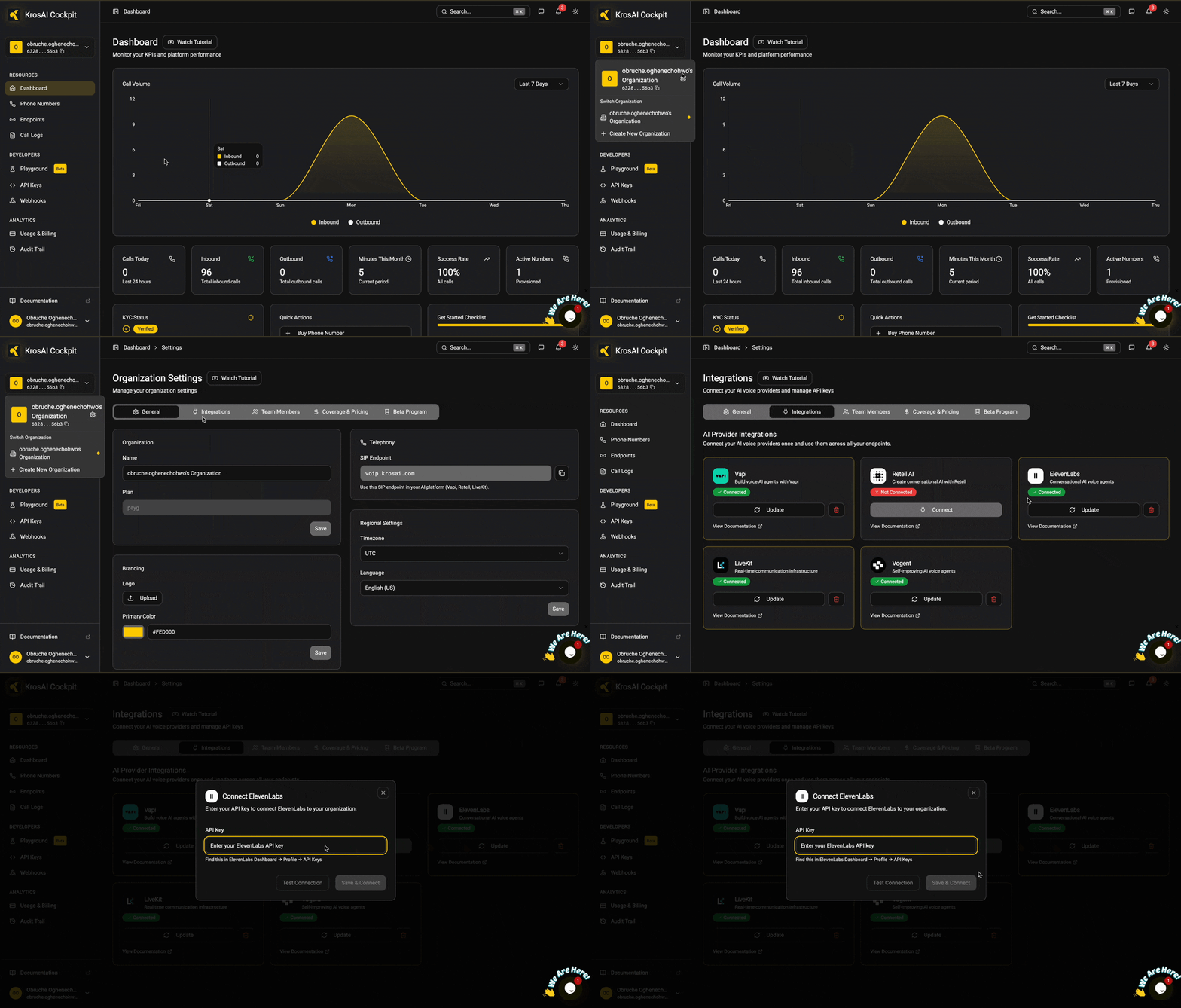
Connect ElevenLabs in KrosAI
4
Create an ElevenLabs Endpoint
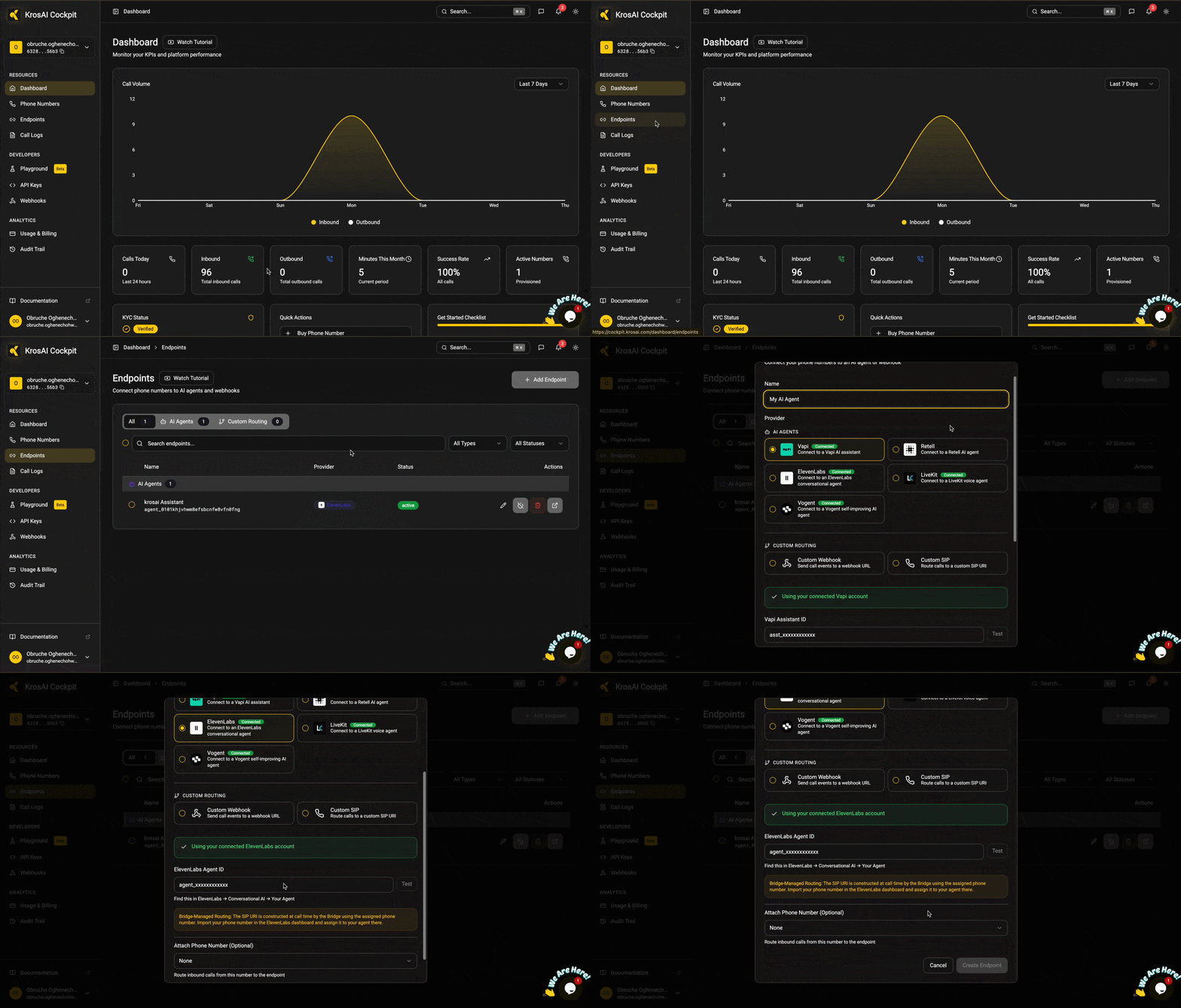
- On your KrosAI dashboard, go to Endpoints
- Click Add Endpoint
- Enter a Name
- Select ElevenLabs as your AI agent provider
- Enter the ElevenLabs Assistant ID
- Select the phone number to attach
- Finally, click Create Endpoint
5
Make Your First Calls
🎉 Congratulations! You’ve successfully connected your local phone number to your AI agent. Call the number to start a conversation with your agent.
Was this section helpful?


On this page
- ☏ Elevenlabs